# Integration Guide

### Video tutorial <a href="#setting-up-your-sandbox-environment" id="setting-up-your-sandbox-environment"></a>

{% embed url="<https://vimeo.com/1082484387>" %}

### Setting Up Your Sandbox Environment <a href="#setting-up-your-sandbox-environment" id="setting-up-your-sandbox-environment"></a>

To begin integrating with our system, the first step is to register a merchant account in the sandbox environment. Follow this link to initiate the registration process: <https://sandbox-dashboard.fonbnk.com/register-initiate>.<br>

Configuring Webhook Integration

Once you have a sandbox account, navigate to the **Settings** page on the dashboard. Here, you can configure a webhook URL to receive notifications regarding order status changes.
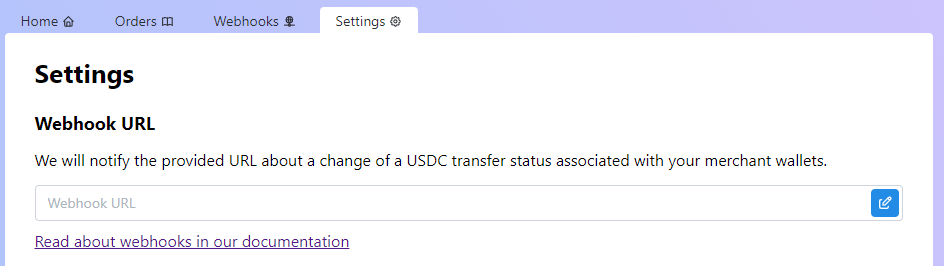
<figure><img src="https://content.gitbook.com/content/aIz4laEPTjPBvvIuP5p6/blobs/SdI986fNxRbAkNGRpyt2/image.png" alt=""><figcaption><p>Webhook setup in the merchant dashboard</p></figcaption></figure>

{% hint style="info" %}
Learn more about the webhook structure and signature [here](https://docs.fonbnk.com/v1/on-ramp/webhook).
{% endhint %}

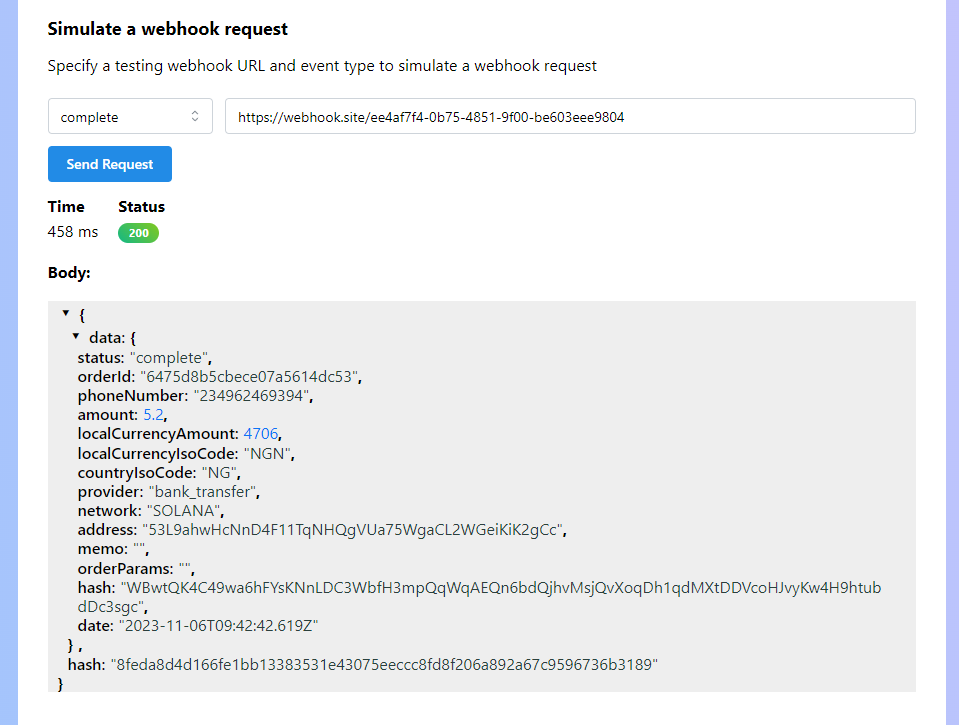
You can also test your webhook integration using the **Simulate the webhook request** feature. Provide a URL and click the **Send Request** button to have the dashboard send a test notification to the specified URL.

<figure><img src="https://content.gitbook.com/content/aIz4laEPTjPBvvIuP5p6/blobs/7eULD2TCaMqprE7zFXgR/image.png" alt=""><figcaption><p>Webhook simulation in the merchant dashboard</p></figcaption></figure>

{% hint style="info" %}
If you want to preview webhook notifications without setting up a server, you can use the [webhooks service](https://webhook.site/).
{% endhint %}

### Generating Payment URLs and Creating Orders <a href="#generating-payment-urls-and-creating-orders" id="generating-payment-urls-and-creating-orders"></a>

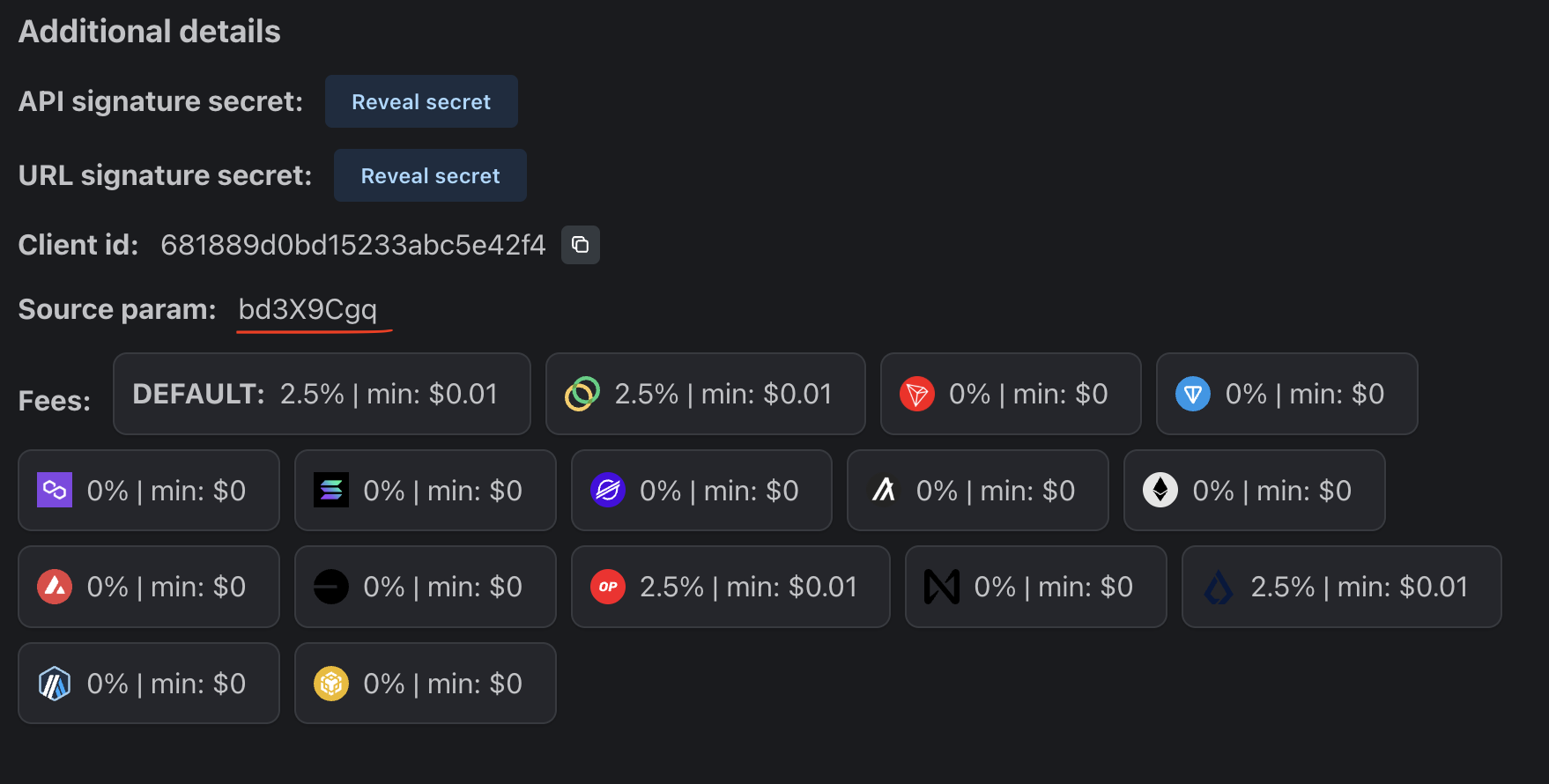
To create sandbox orders, utilize the sandbox pay widget, which can be accessed at [Sandbox Pay Widget](https://sandbox-pay.fonbnk.com/). To associate an order with your merchant account, you must include the **source** parameter in the pay widget URL. You can find the **source** parameter value in the **Additional Details** section of the **Settings** page on the dashboard.

<figure><img src="https://content.gitbook.com/content/aIz4laEPTjPBvvIuP5p6/blobs/ltJPdxcEpoaYru0R3arY/Screenshot%202025-05-06%20at%2013.46.03.png" alt=""><figcaption><p>Source param in the merchant dashboard</p></figcaption></figure>

Additionally, you must provide a unique **signature** parameter, which is a JWT token (HS256 encryption algorithm) generated using "URL signature secret" value as a secret. You must add some unique value to the token payload to make each token unique because we don't allow to create more than 1 order using the same signature. During testing, you can generate a JWT signature using this website, <https://jwt.io/>. You can also provide [URL configuration parameters](https://docs.fonbnk.com/v1/on-ramp/url-parameters) in the JWT token payload.\
&#x20;

An example of a token generation in typescript:

```typescript
import * as jsonwebtoken from 'jsonwebtoken';
import { v4 as uuid } from 'uuid';

const token = jsonwebtoken.sign(
    {
      uid: uuid(),
    },
    YOUR_SIGNATURE_SECRET,
    {
      algorithm: 'HS256',
    },
 );
```

With the provided **source** parameter, the pay widget URL will look like this: <https://sandbox-pay.fonbnk.com/?source=bd3X9Cgq&signature=eyJhbGciOiJIUzI1NiIsInR5cCI6IkpXVCJ9.eyJ1aWQiOiJlcmcyMmYyZkBAIn0.Z1BB4eiClKH_k18w5I3tMiutuWpPgPb5gI33FrkpJcY>.

To create an order in the sandbox environment, you must use one of the following accounts if you want an order to be automatically confirmed.

<table><thead><tr><th>Country</th><th>Email</th><th width="170">Password</th></tr></thead><tbody><tr><td>Nigeria</td><td>sandbox-NG@fonbnk.com</td><td>ZoA8dA9CXF</td></tr><tr><td>Kenya</td><td>sandbox-KE@fonbnk.com</td><td>ZoA8dA9CXF</td></tr><tr><td>Ghana</td><td>sandbox-GH@fonbnk.com</td><td>ZoA8dA9CXF</td></tr><tr><td>Any supported country</td><td>sandbox-{countryCode}@fonbnk.com</td><td>ZoA8dA9CXF</td></tr></tbody></table>

You can register your email, but orders will be automatically rejected.

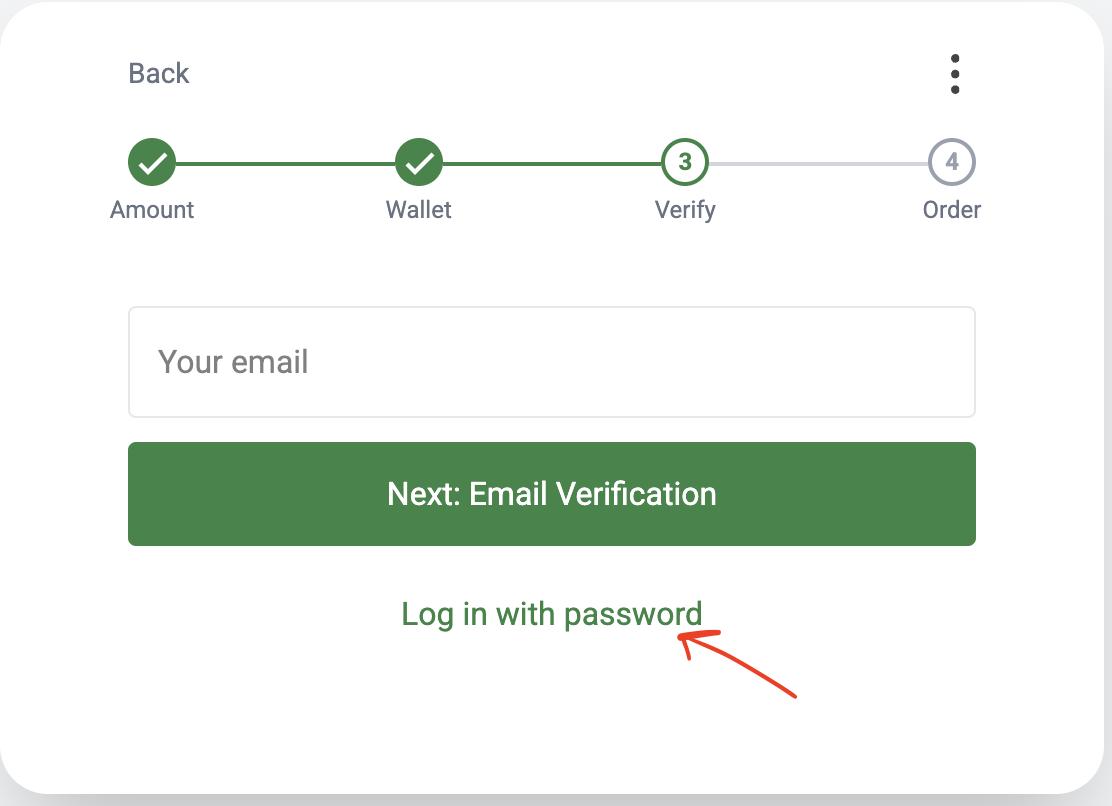
Make sure to use the **Login with Password** flow:

<figure><img src="https://content.gitbook.com/content/aIz4laEPTjPBvvIuP5p6/blobs/XQklXiJoKrzhJiU9jEtI/Screenshot%202025-06-05%20at%2016.25.52.png" alt=""><figcaption></figcaption></figure>

{% hint style="warning" %}
Warning

During sandbox testing, do not use real money. Simply confirm the order, and it will be marked as paid.
{% endhint %}

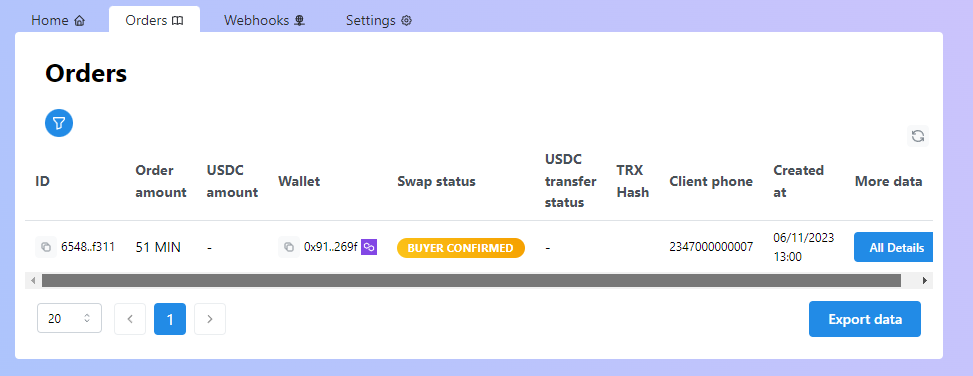
If the correct **source** parameter is present in the URL, the order will be displayed in the **Orders** tab of the dashboard:

<figure><img src="https://content.gitbook.com/content/aIz4laEPTjPBvvIuP5p6/blobs/5aLM9ccklwCG58hj8bOw/image.png" alt=""><figcaption><p>Merchant dashboard on-ramp orders list</p></figcaption></figure>

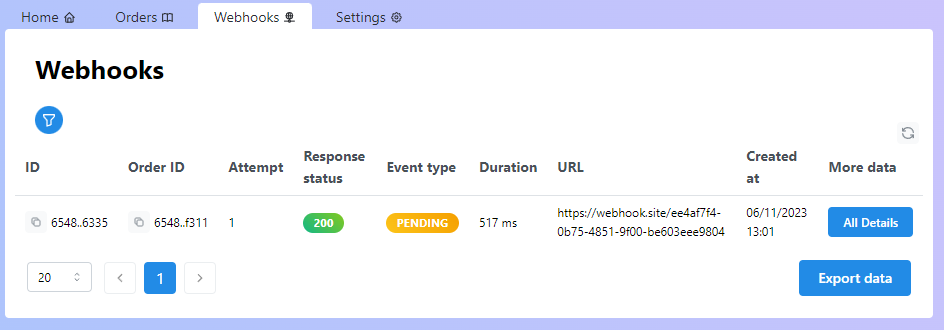
Webhook requests will also be visible in the **Webhooks** tab of the dashboard:

<figure><img src="https://content.gitbook.com/content/aIz4laEPTjPBvvIuP5p6/blobs/qOHCxg4umzx53A6xJEDT/image.png" alt=""><figcaption><p>Merchant dashboard on-ramp webhooks</p></figcaption></figure>

### Merchant API <a href="#merchant-api" id="merchant-api"></a>

For those who wish to access pay widget-related data from their back-end, our merchant API is available. You can find the API documentation here.

### Transitioning to Production <a href="#transitioning-to-production" id="transitioning-to-production"></a>

To create a live merchant account, proceed to register it here: <https://dashboard.fonbnk.com/register-initiate>. The live pay widget can be accessed at <https://pay.fonbnk.com/>.&#x20;

{% hint style="warning" %}
After registering, you'll need to contact our support team and complete a KYB process. Thereafter, you'll be able to receive webhooks and preconfigure user wallet addresses.
{% endhint %}